Starter bundle
2 to 4 weeks, fixed-fee. Written quote inside 48 hours of the discovery call.
← All toolkits·The Front Office Toolkit
Front office, owned, not rented
Capture every customer, run intake without paper, and never drop a follow-up. Modular, owned, themed to your business.
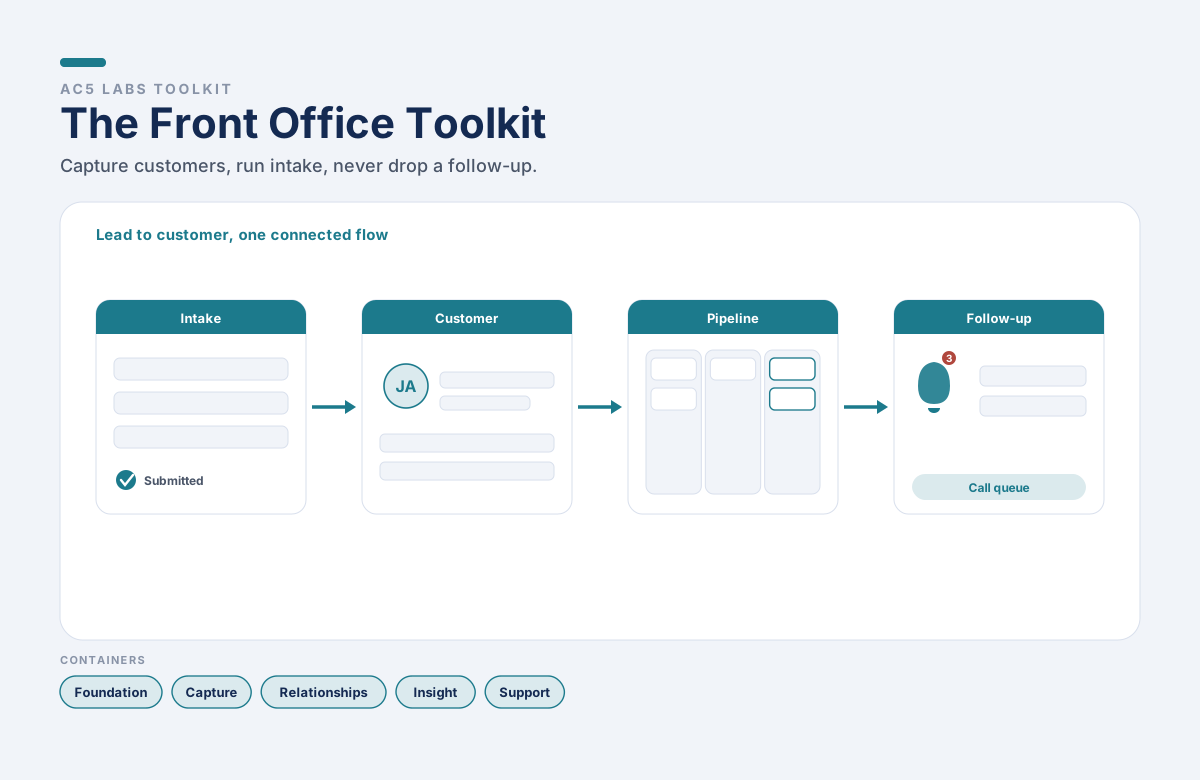
Everything between a lead coming in and a customer being taken care of, owned by you and themed to your brand. Ten containers across Foundation, Capture, Relationships, Insight, and Support. Pick the containers that fit how you sell; we configure the build and hand over the source at the end.
What this is, what this is not
The toolkit runs the operational front office: intake, the customer record, the pipeline, and the follow-ups. It deliberately stays out of accounting, email marketing blasts, and help-desk ticketing you rent per agent. It replaces the spreadsheets, paper intake forms, sticky-note follow-ups, and per-seat CRM subscriptions you use today.
This is
This is NOT
The containers
Foundation is always on. The rest are picked in the configurator. Each container is a working module of the toolkit, themed to your business, built into your install.
Tier · Foundation
Authentication, roles and permissions, audit log, encryption, automated backups, export your own data.
Your logo, colors, and fonts on every screen.
Tier · Capture
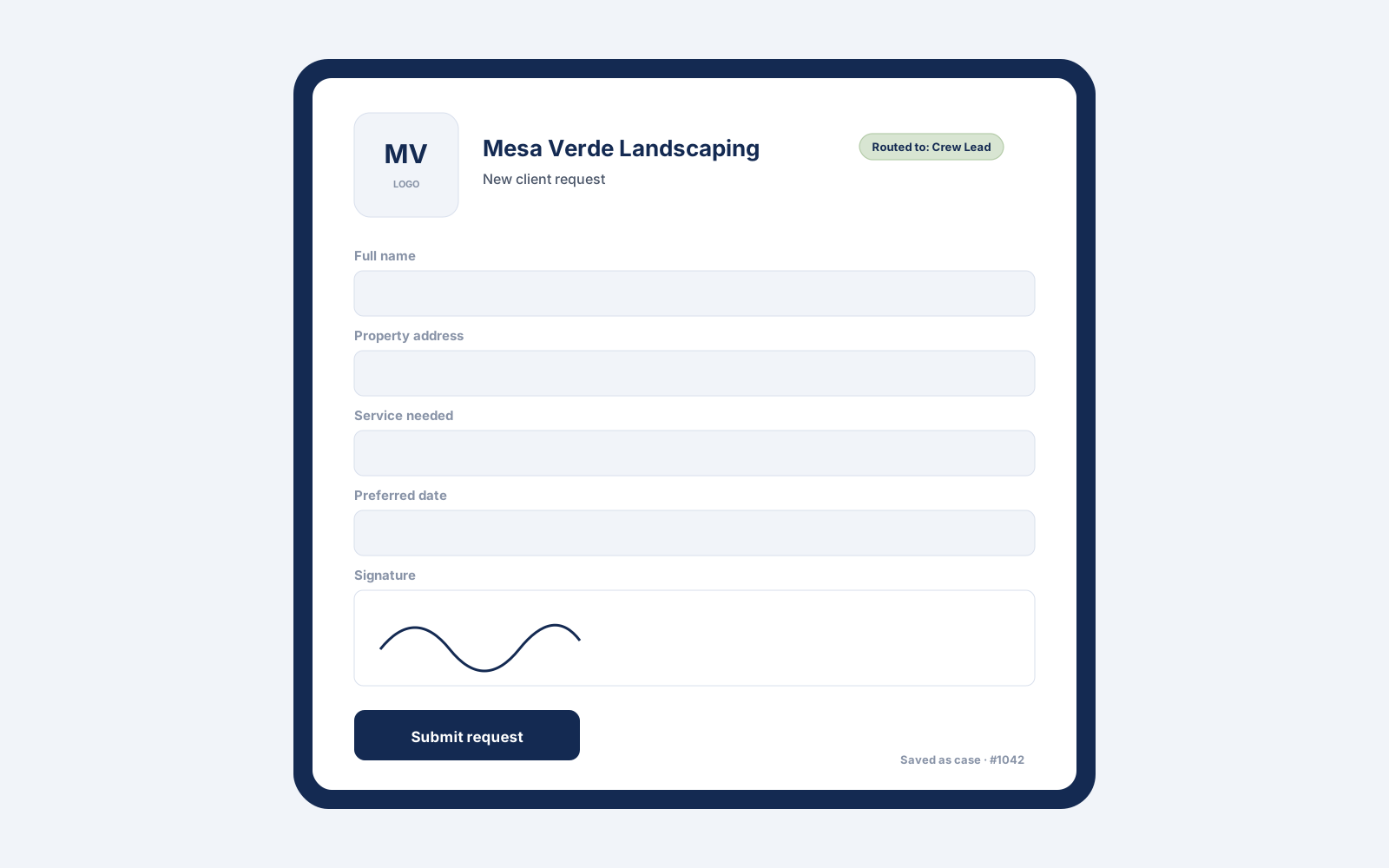
Web and in-person tablet intake, smart routing, file uploads, optional e-signature, output to PDF or straight into the customer record.
Every intake becomes a trackable case with a status, an owner, and a due date.
Tier · Relationships
Contacts, companies, full history, and notes in one record built around how you actually sell.
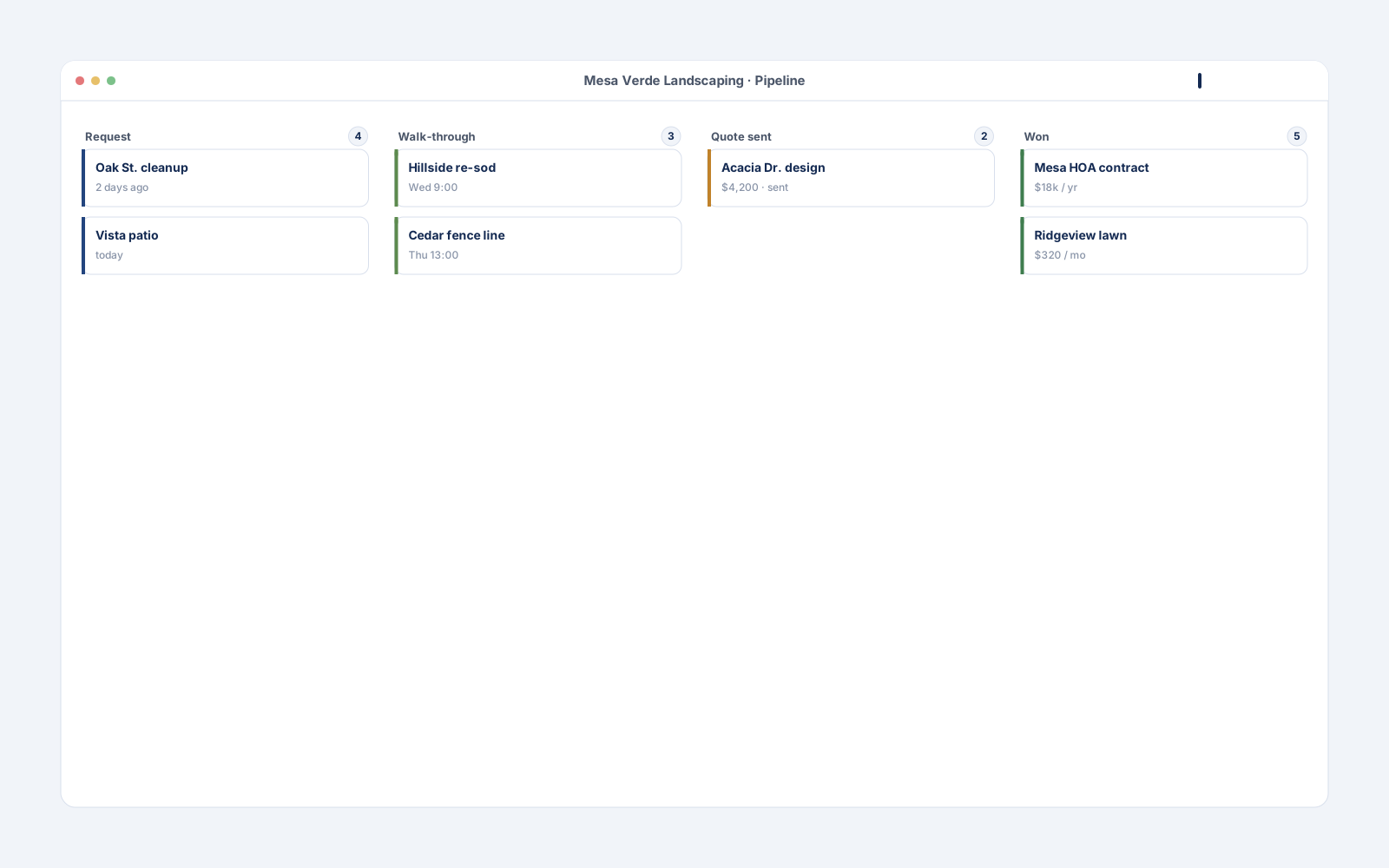
The stages your business really moves customers through, not a generic funnel.
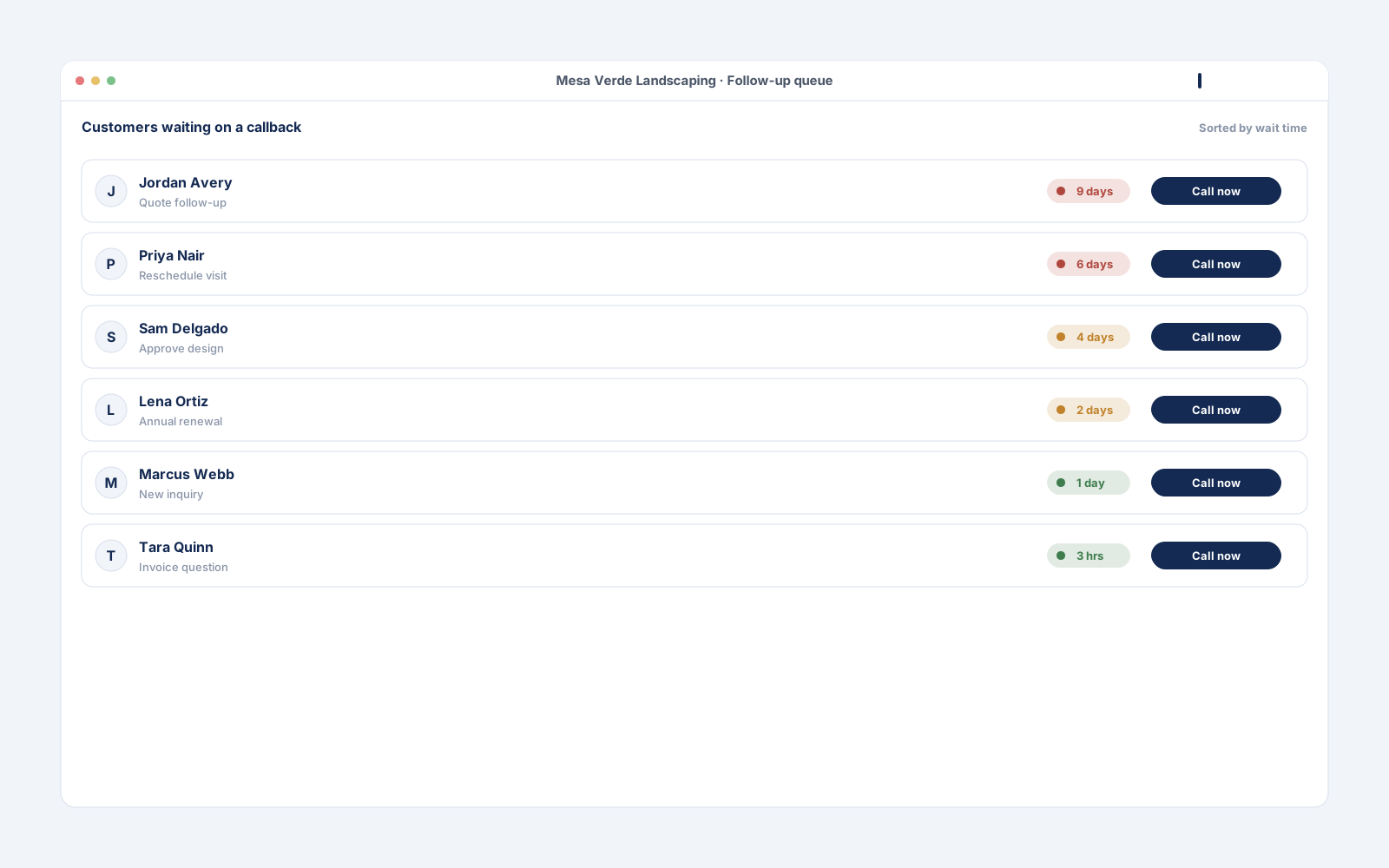
Reminders, tasks, and a no-lead-left-behind queue so the next action is always obvious.
Where each customer came from, so you know what is working.
Tier · Insight
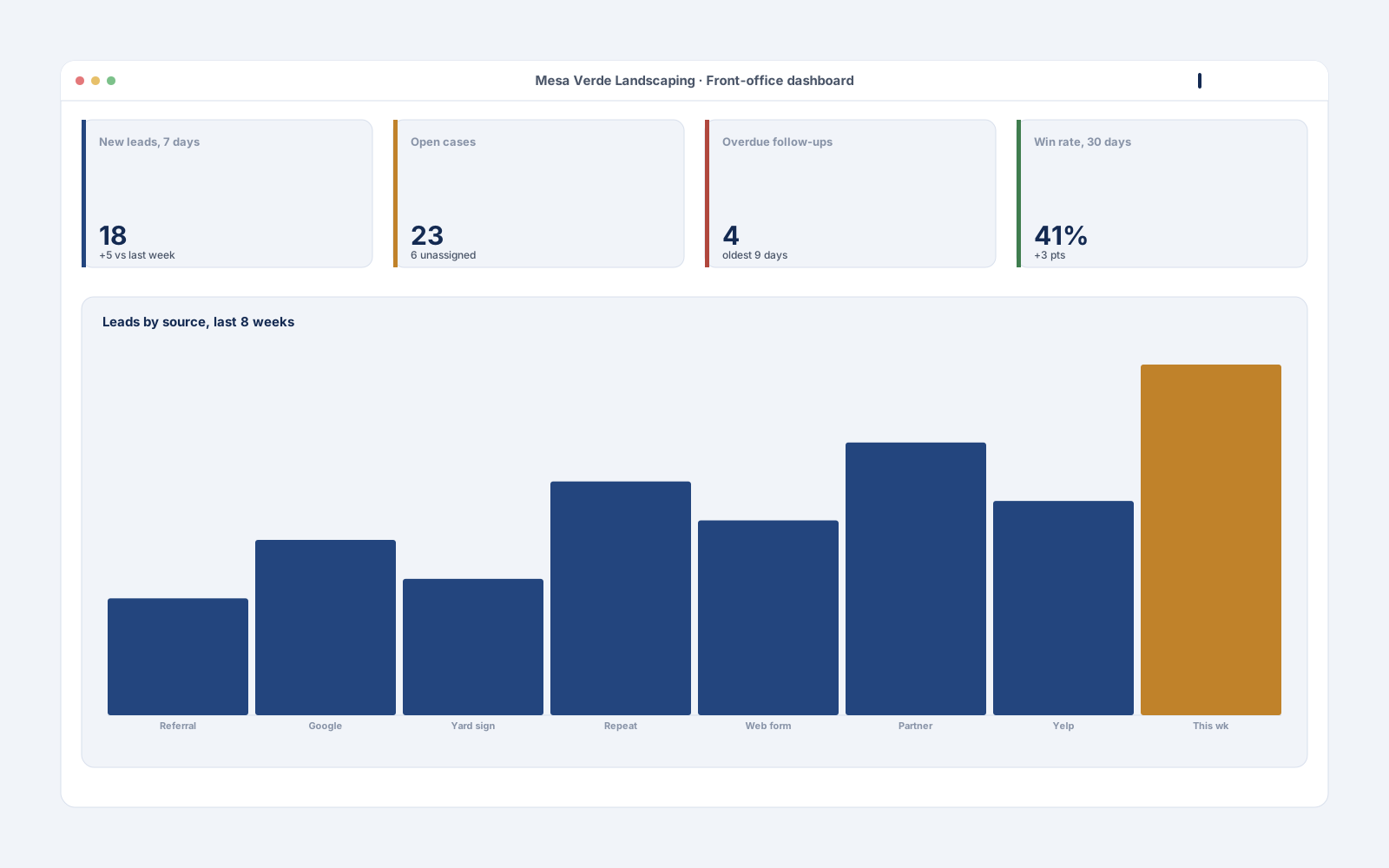
New leads, open cases, overdue follow-ups, and conversion, refreshed daily.
Tier · Support
Send email or SMS from your own provider; every message is logged to the contact.
Build my toolkit
Start from a preset or build a custom configuration. Foundation containers are always on. Your selection is encoded in the URL so you can copy the page and share it with a partner before sending. When you are ready, drop your name and email and we will come back inside 48 hours with a written, fixed-fee quote.
A guided tour
Mockups shown for a fictional business, Mesa Verde Landscaping. Your install is themed to your brand at no additional cost; see the White-Label Theme container.
Hosting, ownership, and what you pay after handoff
Pricing and timeline
The four anchors. The exact dollar amount lands in the written quote inside 48 hours of the discovery call.
2 to 4 weeks, fixed-fee. Written quote inside 48 hours of the discovery call.
4 to 8 weeks, fixed-fee. Same Pilot Risk-Reversal at the Phase 1 gate.
A single optional line for changes and platform questions, billed only when you use it. Never required, never auto-renewed.
No seat licenses, no platform access fees. The build is yours forever.
Compared to the SaaS stack
Approximate retail SaaS list pricing as of 2026. Your savings depend on your current stack and seat count.
| What you commonly pay for | Approx. cost | Container that replaces it |
|---|---|---|
| CRM, per seat (HubSpot, Salesforce Essentials, Pipedrive) | $25 to $150 per user per month | Customer Database, Pipeline View |
| Online and in-person intake forms (Jotform, Typeform, paper) | $39 to $199 per month | Intake Forms, Case Tracker |
| Follow-up and task reminders (add-ons, separate apps) | $15 to $50 per user per month | Follow-Up Engine |
| Lead-source reporting add-ons | $50 to $200 per month | Source and Referral Attribution, Front-Office Dashboard |
| Sum | Several hundred per month, recurring, scaling per seat | One-time custom build, owned forever |
Costs above are approximate retail SaaS list pricing as of 2026. Per-seat tools get more expensive every time you hire; an owned build does not.
FAQ
No. It runs the front office: intake, the customer record, the pipeline, and follow-ups. Invoicing and books stay in your accounting tool. We can export to it.
No. It logs and sends individual messages from your provider. Mass marketing campaigns stay where they are.
Your choice: your AWS or Azure account, or open-source and self-hosted. You pay your provider directly for usage; we do not resell hosting.
You own the source code, the database, and the documentation. Any competent developer can pick it up.
Yes. The toolkit is modular. A new container slots into the same Foundation baseline and theme.
Yes, through import and export with common tools. We scope the specific connections in the quote.
30-minute discovery call. We come back inside 48 hours with a written, fixed-fee quote and a fixed timeline. If your current stack is the right answer, we will say so on the call.